2025 Calendar Canva Editable: Your Year, Your Design
Why a Custom Calendar Matters More Than You Think
A calendar isn't just a grid of dates. For a small business owner, it's a planning tool. For a content creator, it's a visual brand touchpoint. For a crafter or hobbyist, it's a personal project that brings joy. Generic, store-bought calendars often miss the mark—they don't reflect your style, your brand colors, or the specific way you plan your weeks and months. That's where a truly customizable solution changes everything. A 2025 Calendar Canva Editable template gives you the foundation of a professional design with the freedom to make it entirely your own. It’s about creating a tool that works for you, not the other way around.
Imagine opening a clean, well-organized Canva template. The structure is there: the monthly grid, the week numbers, the year clearly displayed. But the colors are wrong, the font feels generic, and there's no space for your brand's logo or your favorite motivational quote. With an editable template, you’re not starting from a blank page. You’re starting from a professional design framework. You can instantly change the color palette to match your brand identity, swap the typeface for one that feels more you, and rearrange elements to create a visual hierarchy that guides your eye exactly where it needs to go. This isn't just about aesthetics; it's about creating a functional piece of design assets that supports your daily workflow and reinforces your brand with every glance.
Inside the Canva Template: What Makes It Work
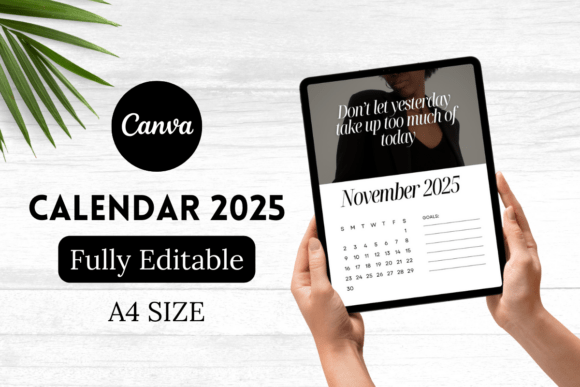
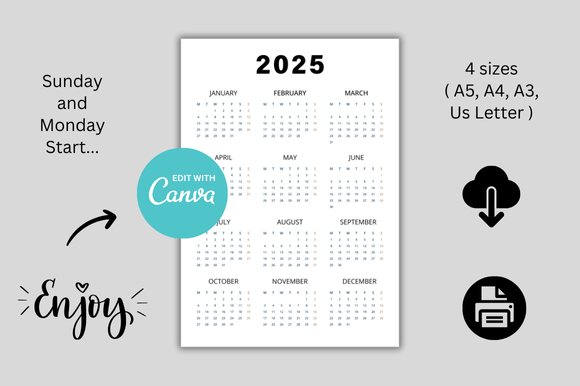
The power of this 2025 Calendar Canva Editable template lies in its simplicity and its thoughtful design. You receive two distinct calendar designs, each pre-built in multiple essential sizes: A5, A4, A3, and US Letter. This versatility is crucial. The A5 size is perfect for a desk calendar or a planner insert. The A4 and US Letter sizes are ideal for wall calendars or office planning. The A3 size makes a bold statement for a workshop, studio, or retail space. This isn't a one-size-fits-all product; it's a printable bundle designed for real-world use.
Visually, the templates strike a balance between clean modernism and approachable elegance. Think of it as a modern typography base with plenty of white space. This intentional minimalism is its greatest strength. A busy, over-designed calendar can become visually noisy, making it hard to read appointments or deadlines. A clean design, however, promotes clarity. The included layouts likely use a harmonious pairing of a sans serif font for headers and dates—ensuring excellent readability—and perhaps a complementary serif font or a subtle script font for month titles, adding a touch of personality without sacrificing function. The overall appeal is professional, versatile, and calming—exactly what you need in a planning tool.
Practical Applications: From Your Desk to Your Shop
This is where the 2025 Calendar Canva Editable template transitions from a nice idea to a powerful business and personal asset. Let's break down who benefits and how.
For the Etsy Seller or small business owner, this template is a goldmine. You can create branded wall calendars as a product to sell in your Etsy Digital Shop. Customize it with your signature colors and fonts, and you have a unique digital product that customers can print at home. Use the A4 or US Letter size to create a professional planning calendar for your team. The drag and drop interface in Canva means you don't need advanced design skills to make something that looks polished and intentional, reinforcing your brand's professionalism and consistency.
For the content creator, blogger, or marketer, a custom calendar is a content planning powerhouse. Block out campaign launches, social media themes, and blog post schedules in a system that's visually aligned with your brand. You can even use the calendar as a content piece itself—share a beautifully designed monthly view on Instagram or Pinterest as a social media graphic, providing value to your audience while subtly promoting your brand's aesthetic. The ability to create a square listing mockup or a digital banner featuring your calendar design is a smart way to market your organizational skills.
For designers and creatives, this template is a time-saving starting point. Use it for editorial design projects, like planning the layout of a magazine or a book. Adapt it into a packaging design element for products that need a seasonal or time-based component. The included sizes make it easy to prototype ideas for different formats. It's a practical example of how Canva templates and link Canva resources can streamline your workflow, letting you focus on higher-level creative strategy rather than rebuilding grids from scratch.
Making It Yours: A Step-by-Step Guide
Getting started is straightforward. After your purchase, you'll receive a Canva link. Open it, and a copy of the template will save directly to your Canva account. This is a non-destructive process; the original template remains pristine for the seller, while you get your own fully editable version.
- Evaluate the Structure First: Before you change colors, look at the layout. Does the hierarchy work for you? Is there ample space for notes? Understanding the designer's intent helps you make smarter edits.
- Establish Your Color Palette: Use Canva's color picker to sample your brand's hex codes. Apply them consistently to headers, date numbers, and background elements. This single step transforms the template into a brand identity piece.
- Refine the Typography: This is key to readability and personality. If the sans serif font for dates feels too cold, try a rounded one. If you want more flair, replace the month title with a handwritten font or an elegant display font. Ensure your chosen fonts have good contrast and are legible at small sizes.
- Add Your Personal Touches: Drag and drop your logo into a corner. Insert a small photo for each month that inspires you. Add a text box for monthly goals or a favorite quote. These elements make the calendar uniquely motivating.
- Test Your Design: Zoom out. Does the calendar still feel balanced? Print a single page on your home printer. Check that the text is crisp and the colors are accurate. This step is vital for any printable product.
Remember, the goal isn't to completely overhaul the design unless you want to. The template's value is in its professional foundation. Sometimes, the best customization is subtle—a shift to a more personal color story, a more readable typeface, and the addition of your own content. It’s about using premium font aesthetics and clean layout principles to create something that is both beautiful and deeply functional for the year ahead. This 2025 Calendar Canva Editable template is your starting point for a more organized, branded, and visually coherent year.